SYNTHFAM DSP — SEQUENTIVE
coming soon · 2026
Sixteen steps
against seven.
Sequentive is a polyrhythmic, generative MIDI step sequencer. Every lane has its own length and rate, so patterns drift apart and find each other again, while generative tools keep writing new ones.
runs standalonealso an AUv3 MIDI effectiPad, iPhone and Mac
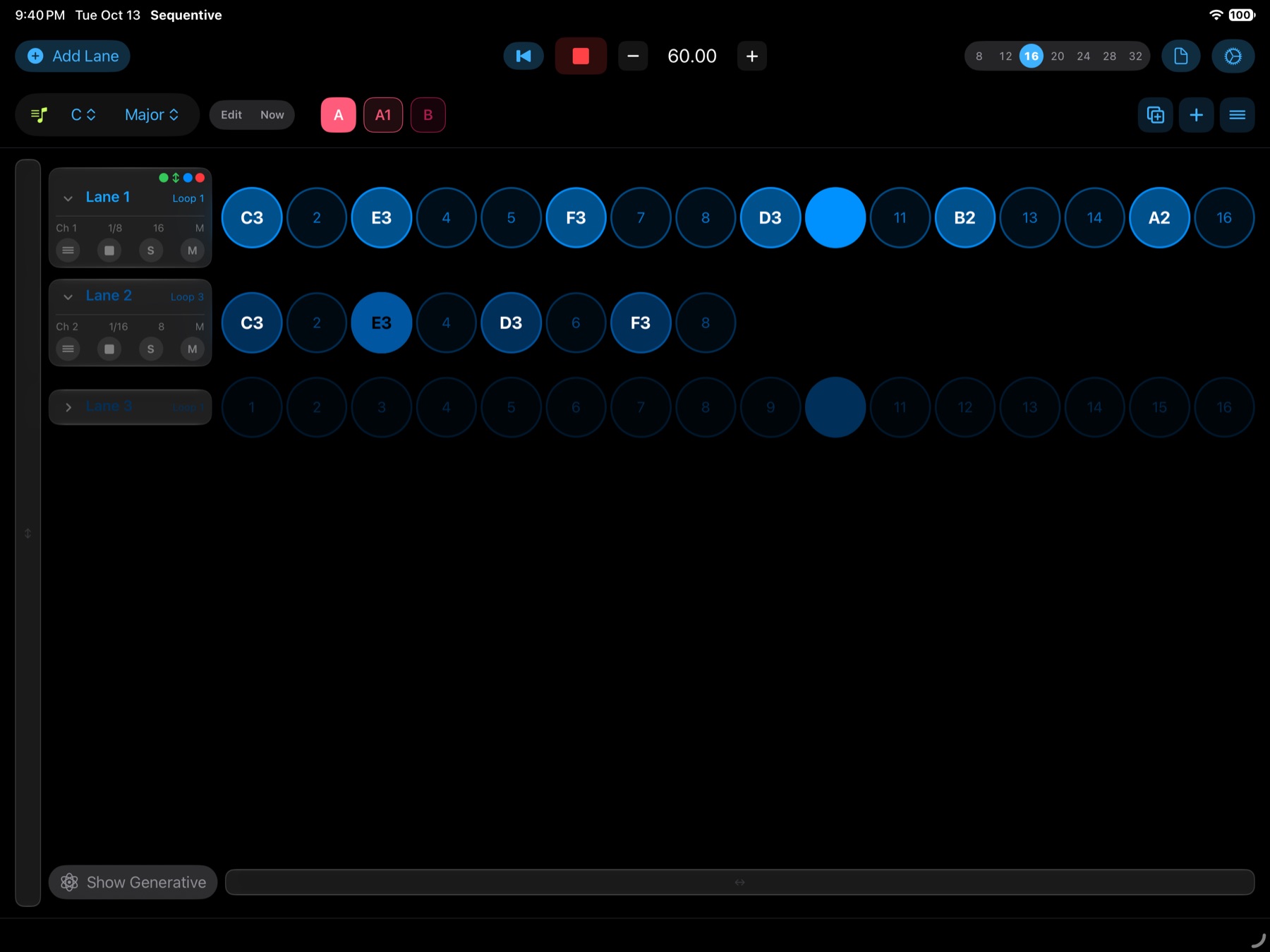
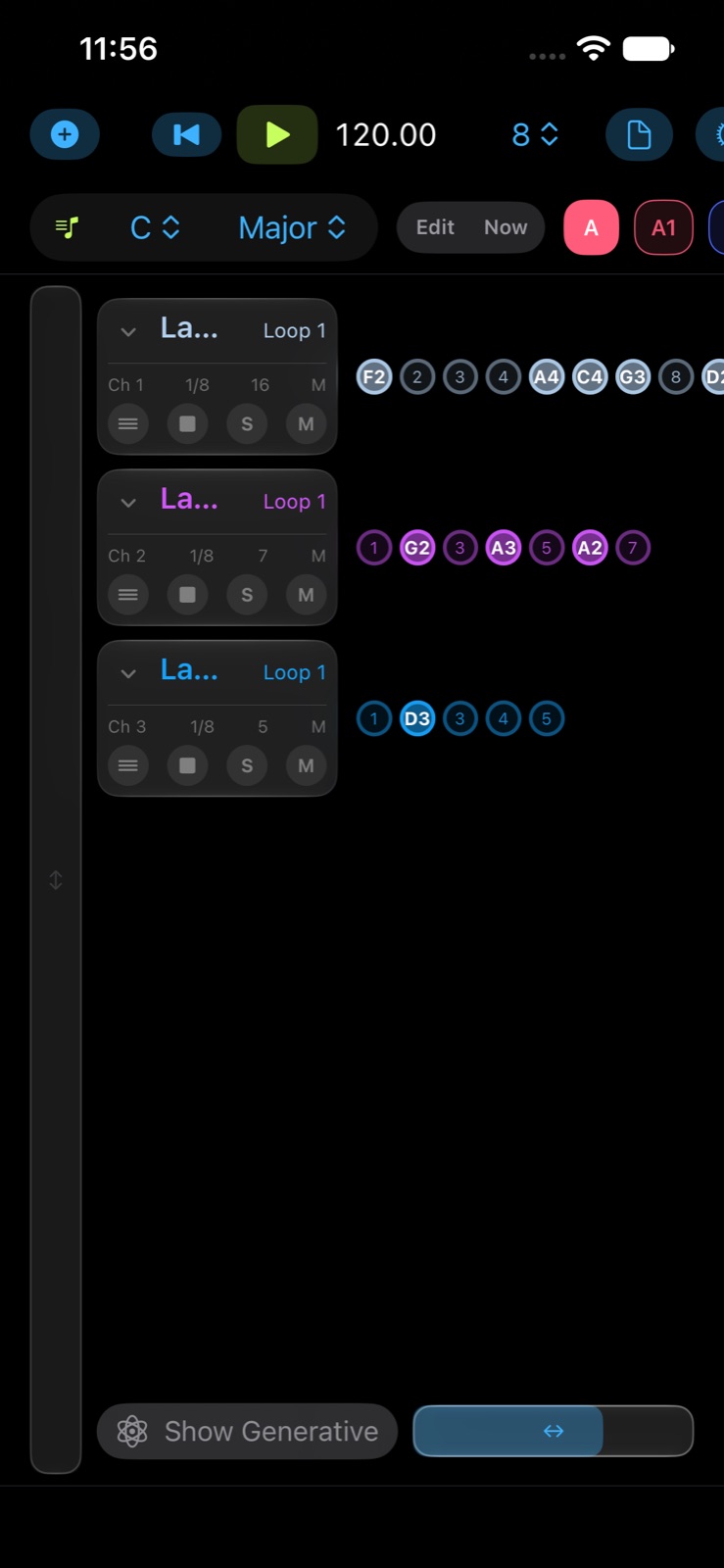
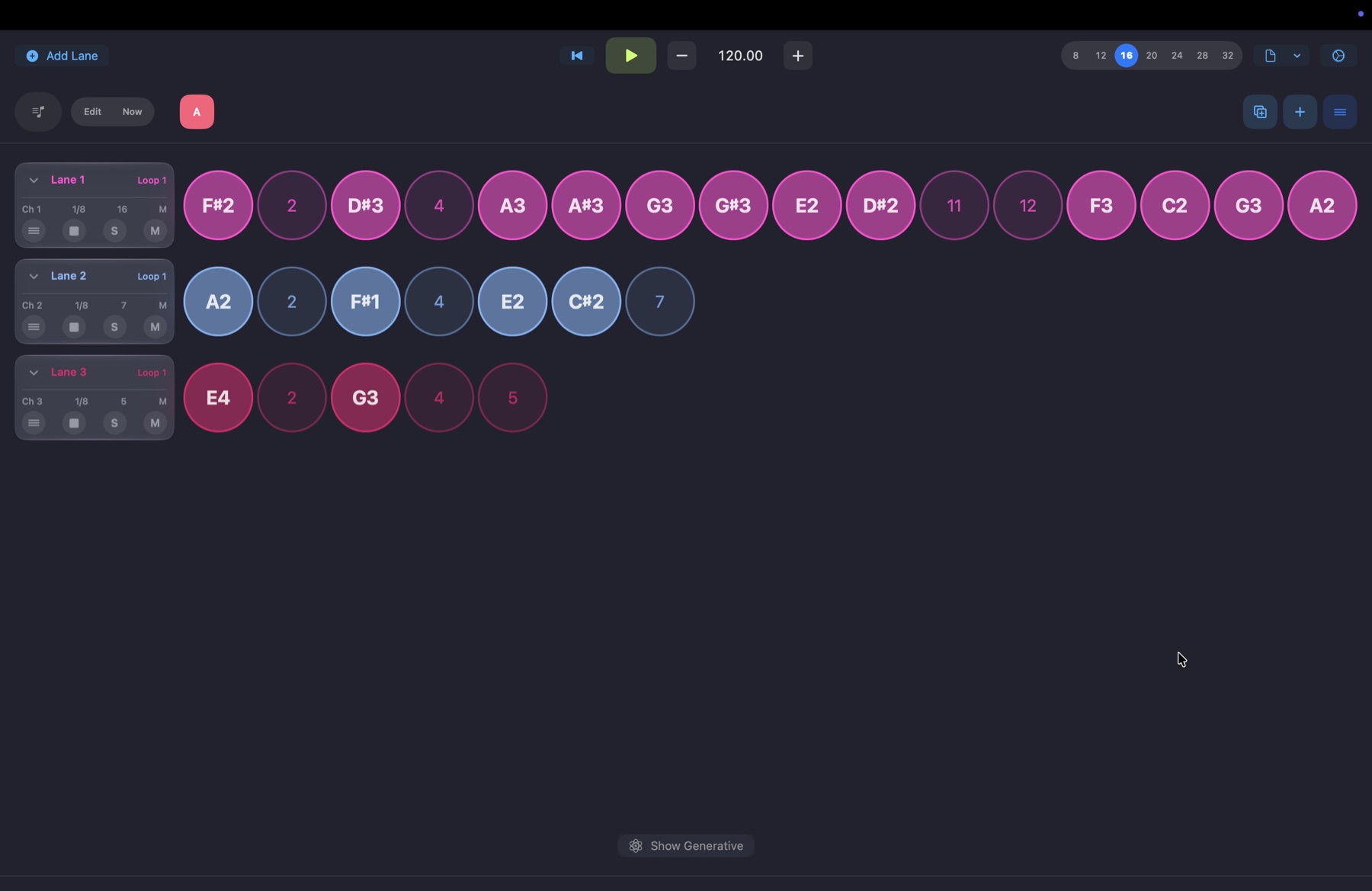
// every lane keeps its own time
steps · rate · loop · drift
How lanes drift apart
Three lanes start together on step 1, each with its own length and rate. Change a lane and watch how long it takes for all three to land on step 1 together again. This is a demo of phase drift. It is not what Sequentive looks like. The real screens are shown further down the page.
Demo only. In Sequentive, lanes are rows of step circles with their own chip, as shown in the screenshots below.
Lanes
Each lane has 1 to 64 steps and its own rate, from a whole note down to a dotted 1/32. Give every lane its own MIDI channel, and set it mono or poly.
Step conditions
Probability, “2 of every 4” loop triggers, ratchets, gate, velocity, tie, glide and sustain. Lock a step and it never changes.
Patterns
A to Z families with numbered variations. Switch on the next bar, or open another pattern in Edit mode while the current one keeps playing.
Key and scale
Twelve scales per pattern family. Turn Quantize on and random and generated notes stay in key. Play a MIDI note and the root follows.
Generative
Set ranges for notes and every step value, then generate once or let a lane rewrite itself every 1 to 16 loops.
MIDI and AUv3
Publishes a virtual MIDI source in the app, or loads as a MIDI effect in your host. You choose the sound.
// see it
ipad · iphone · mac
Lanes
iPad · three lanes · three lengths · one clock
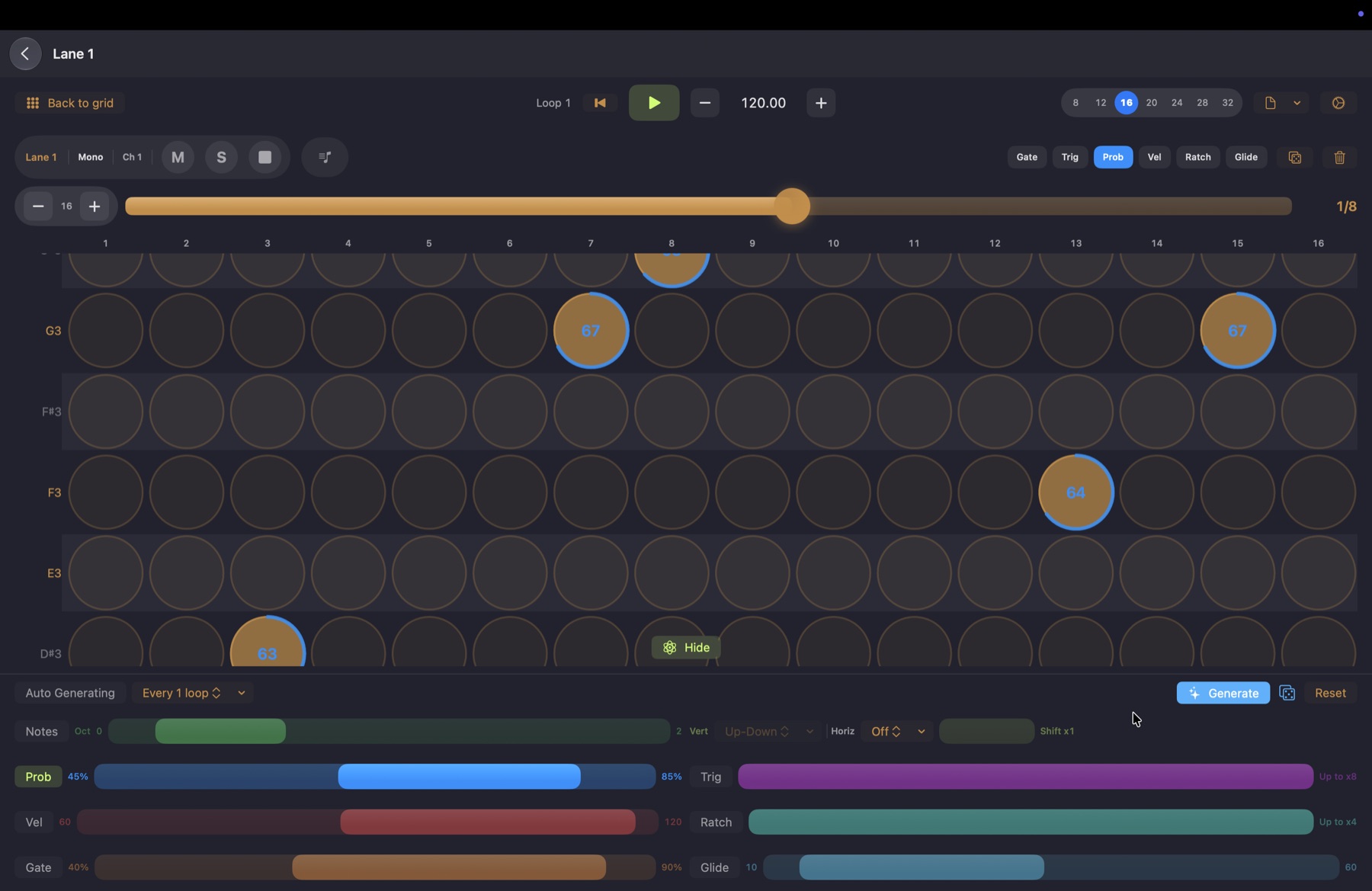
Note Grid
Mac · a piano roll with a value under every note
Lanes
iPhone
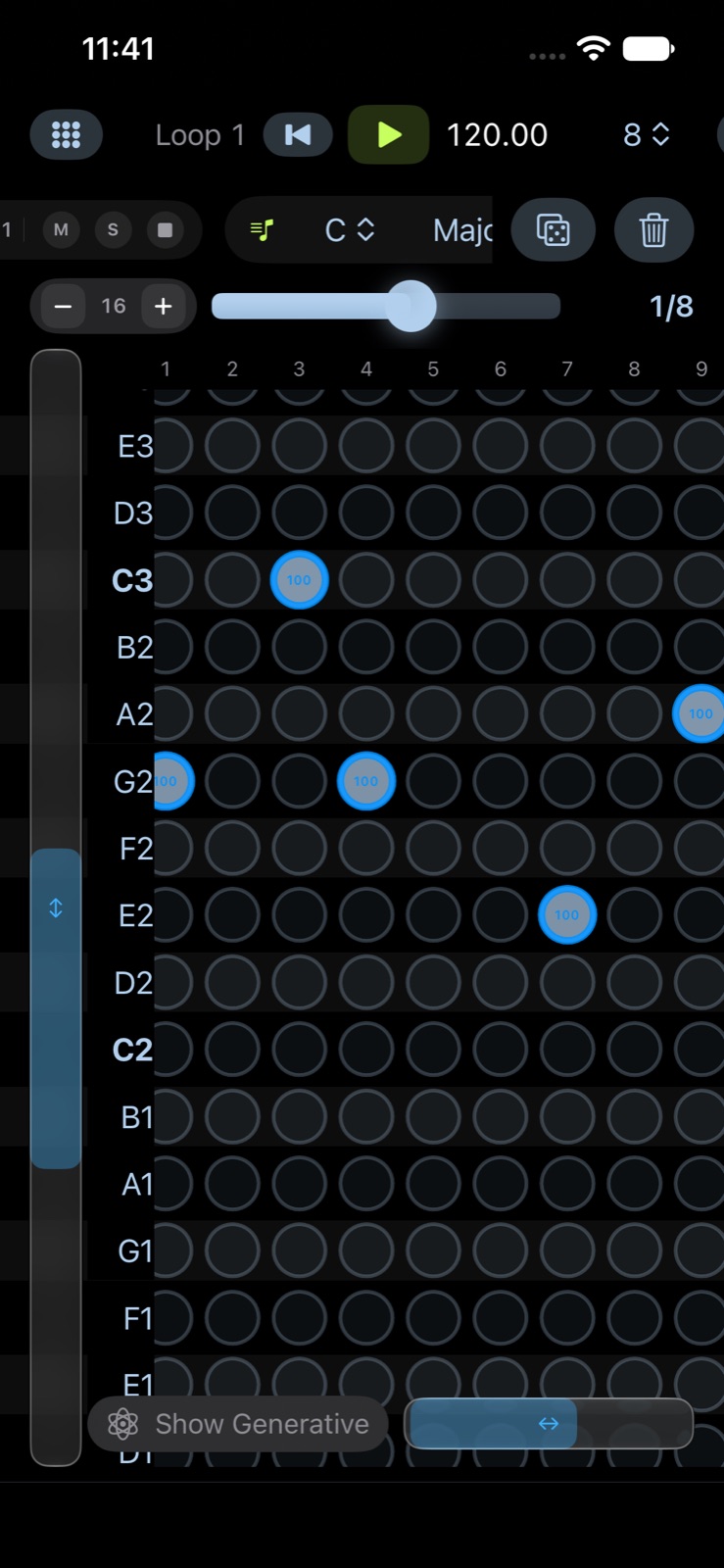
Note Grid
iPhone
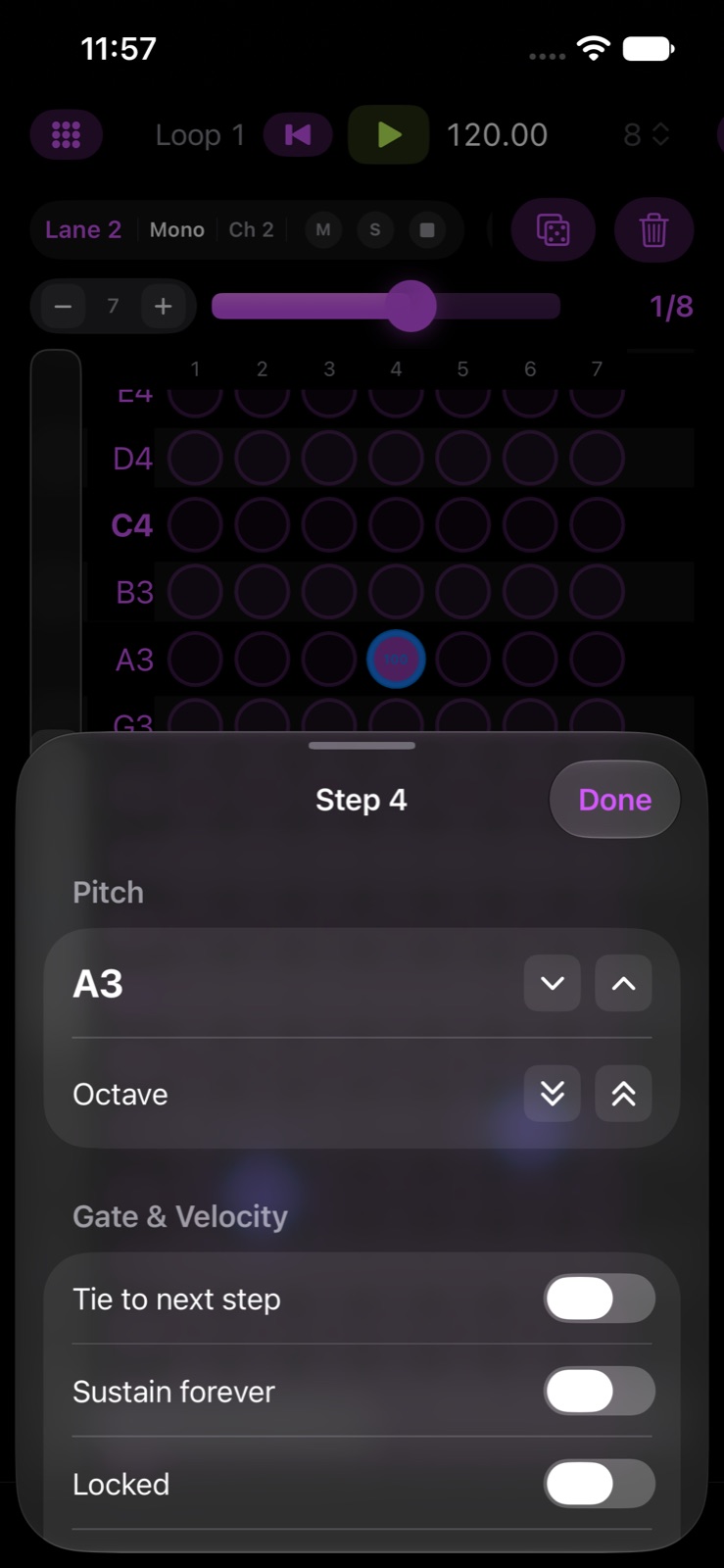
Step Editor
iPhone · long-press any step
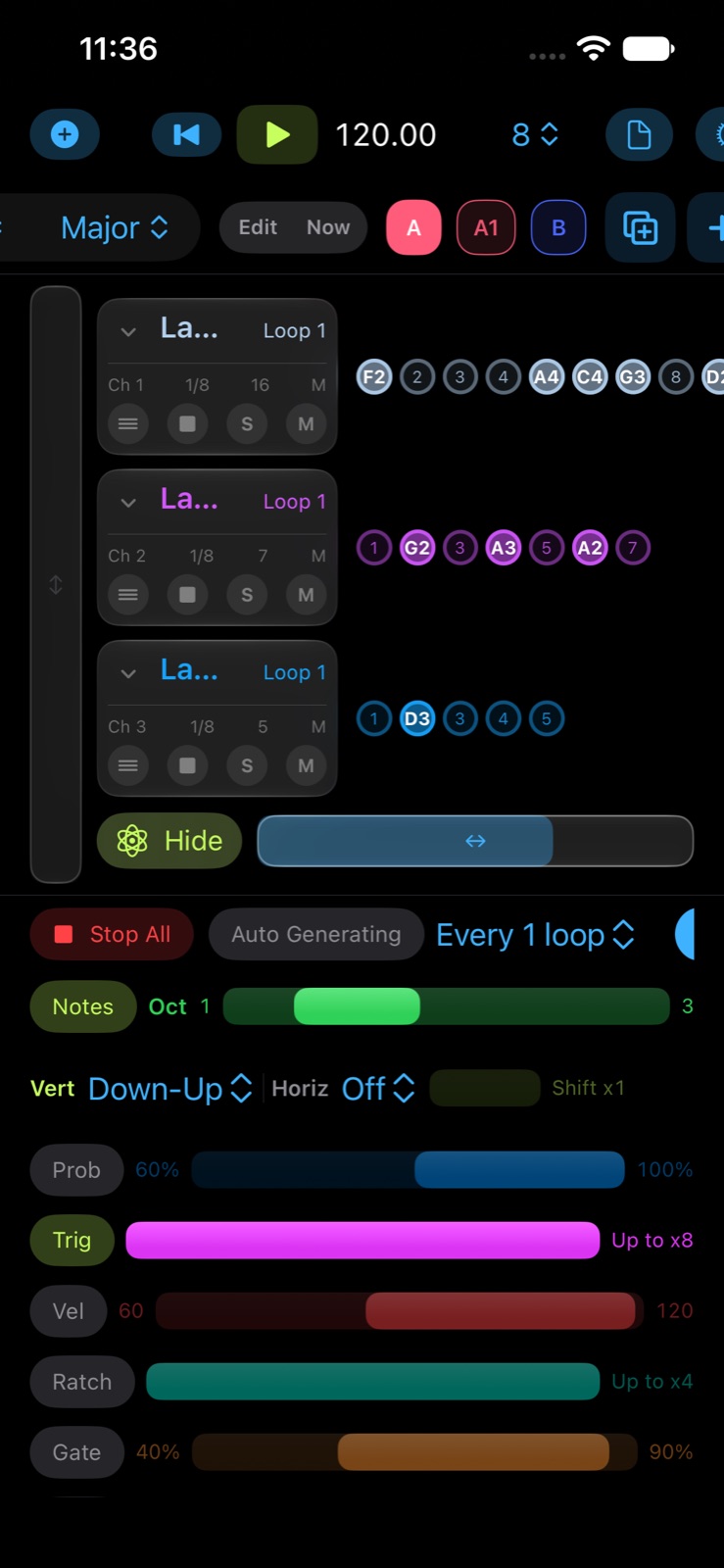
Generative
iPhone
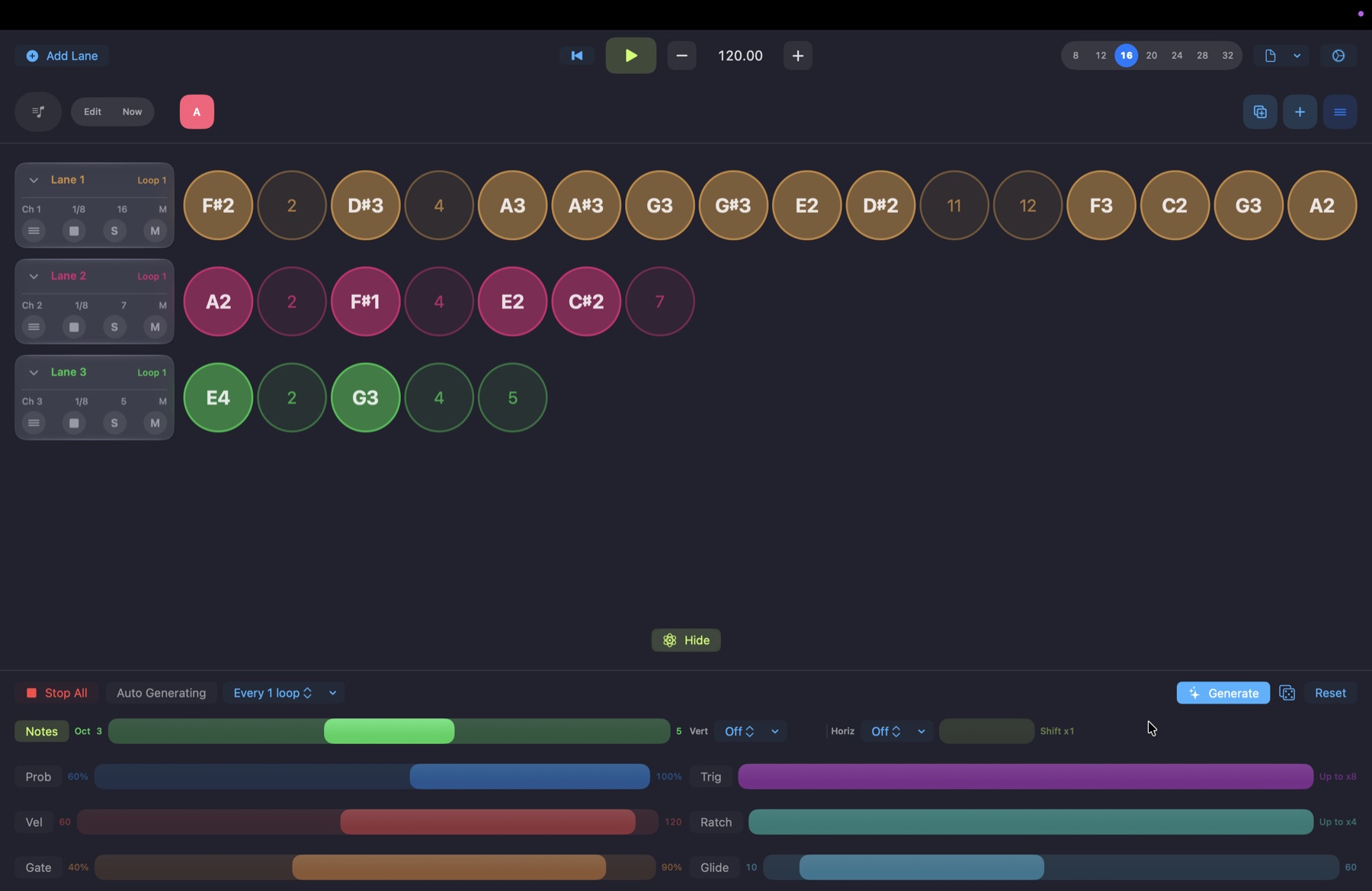
Generative
Mac · ranges for every value, per lane or global
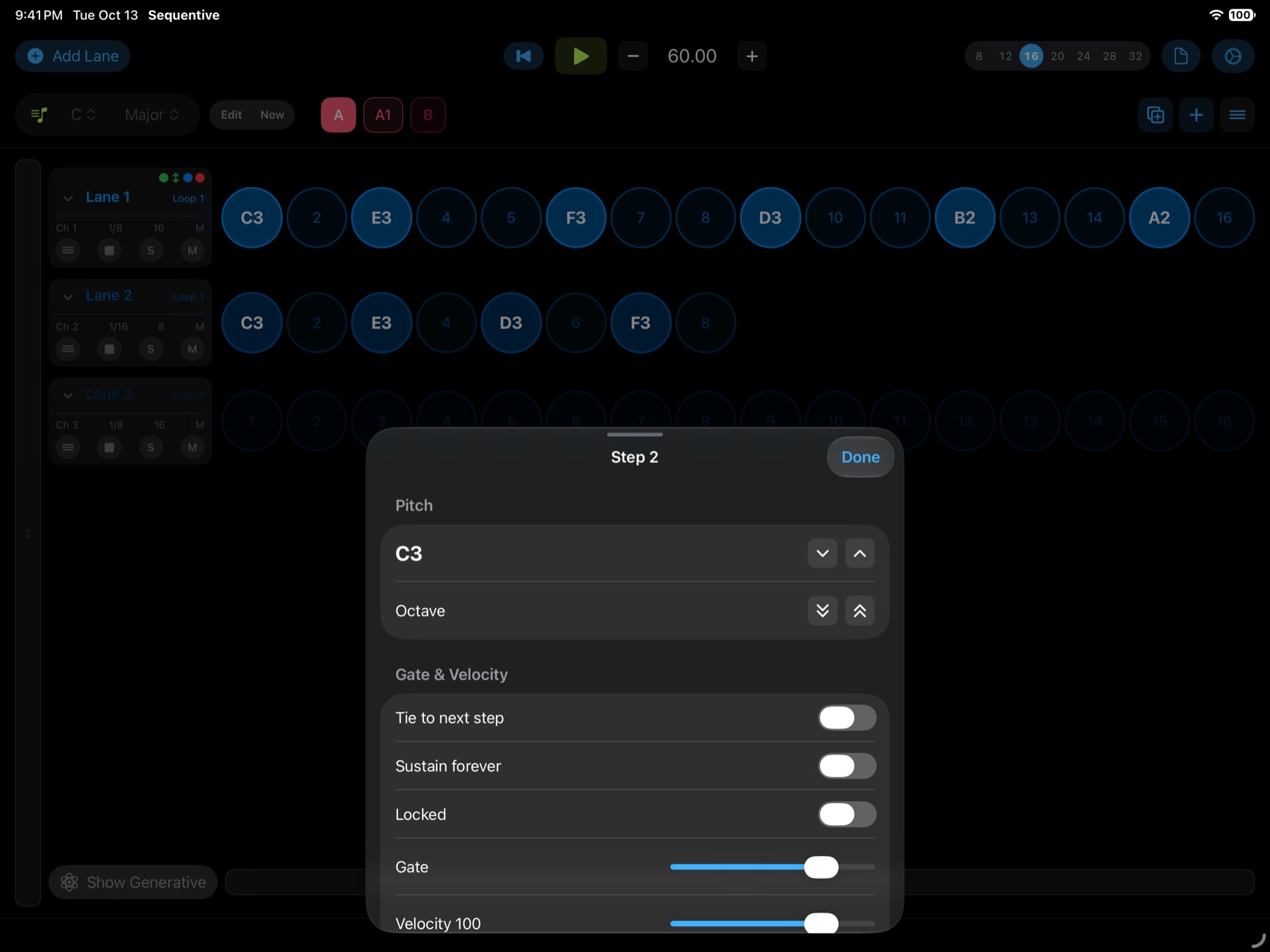
Step Editor
iPad · pitch, tie, gate, velocity, conditions
// play with it
trigger · value · key
Loop trigger
Fire a step only on certain loops. “2 of every 4” plays on the second loop of each group of four.
Value modes
Pick a mode in the Note Grid and every lit note shows that value. Drag a note up or down to change it.
Key and scale
With Quantize on, the grid and every generated note stay inside the scale.
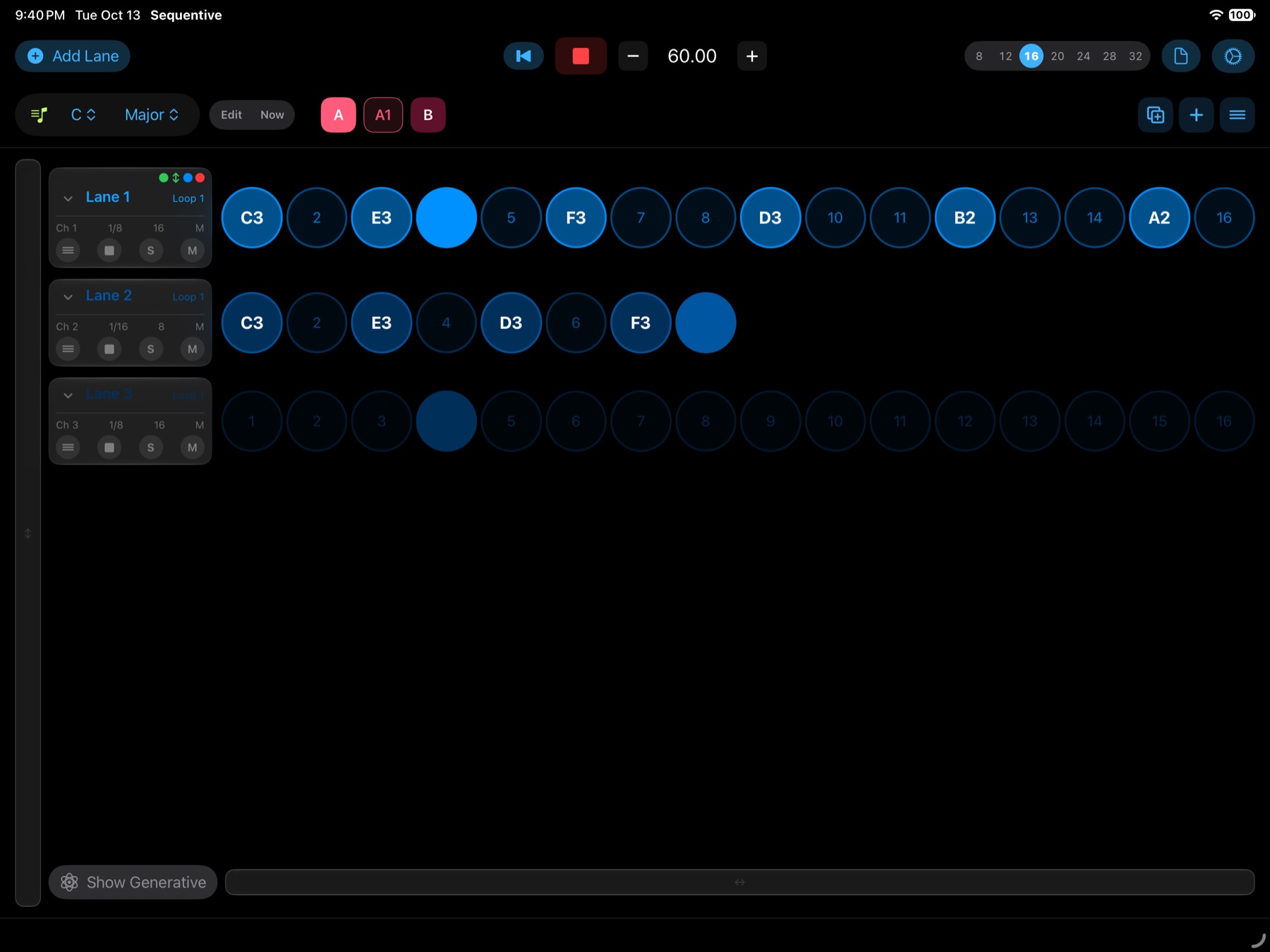
Change the song without stopping it.
Tap a chip while playing and the switch lands on the next bar. Turn on Edit to work on another pattern while the current one keeps playing. The playhead turns red so you know you aren’t looking at what you hear.
Duplicate to try a variation. A1 starts as an exact copy, so you can change it freely and keep A as it was.
- Steps per lane
- 1 to 64
- Tempo
- 20 to 400 BPM
- MIDI channels
- 16
- Patterns
- A to Z, with variations
- Scales
- 12
- Ratchets
- 1 to 4 per step
- Appearance
- Light, dark or system
- Runs as
- App and AUv3